
Grow your newsletter
Collected emails land in Newsletter Subscribers, ready for your bulk email campaigns.
Offer a first-booking coupon, add the visitor's email to your newsletter list or send them straight to your featured tour. No code needed — pick the design in your panel.
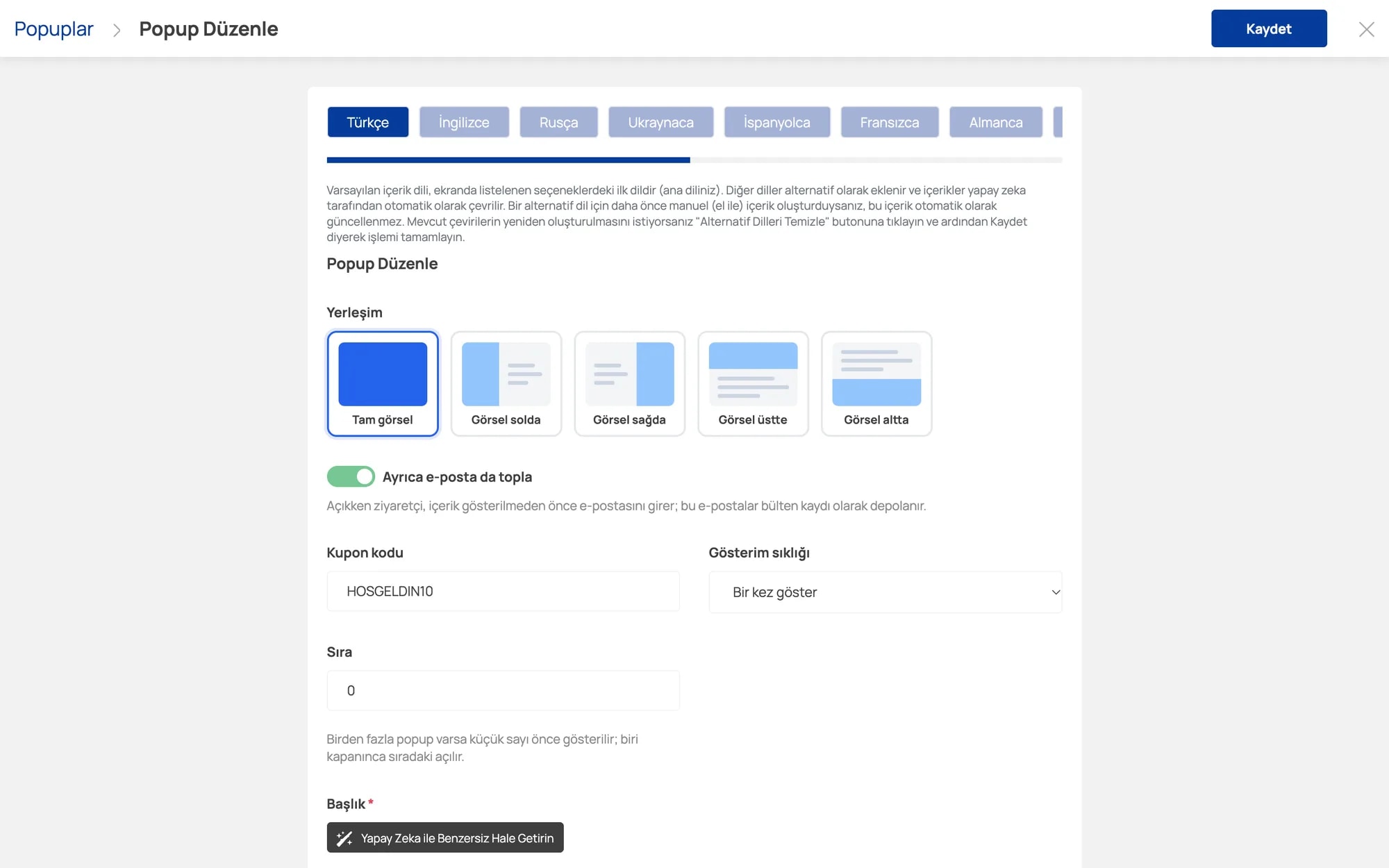
Choose one of five layouts, type the coupon code to show and set how often it appears. Optionally ask for the visitor's email before the offer is revealed.
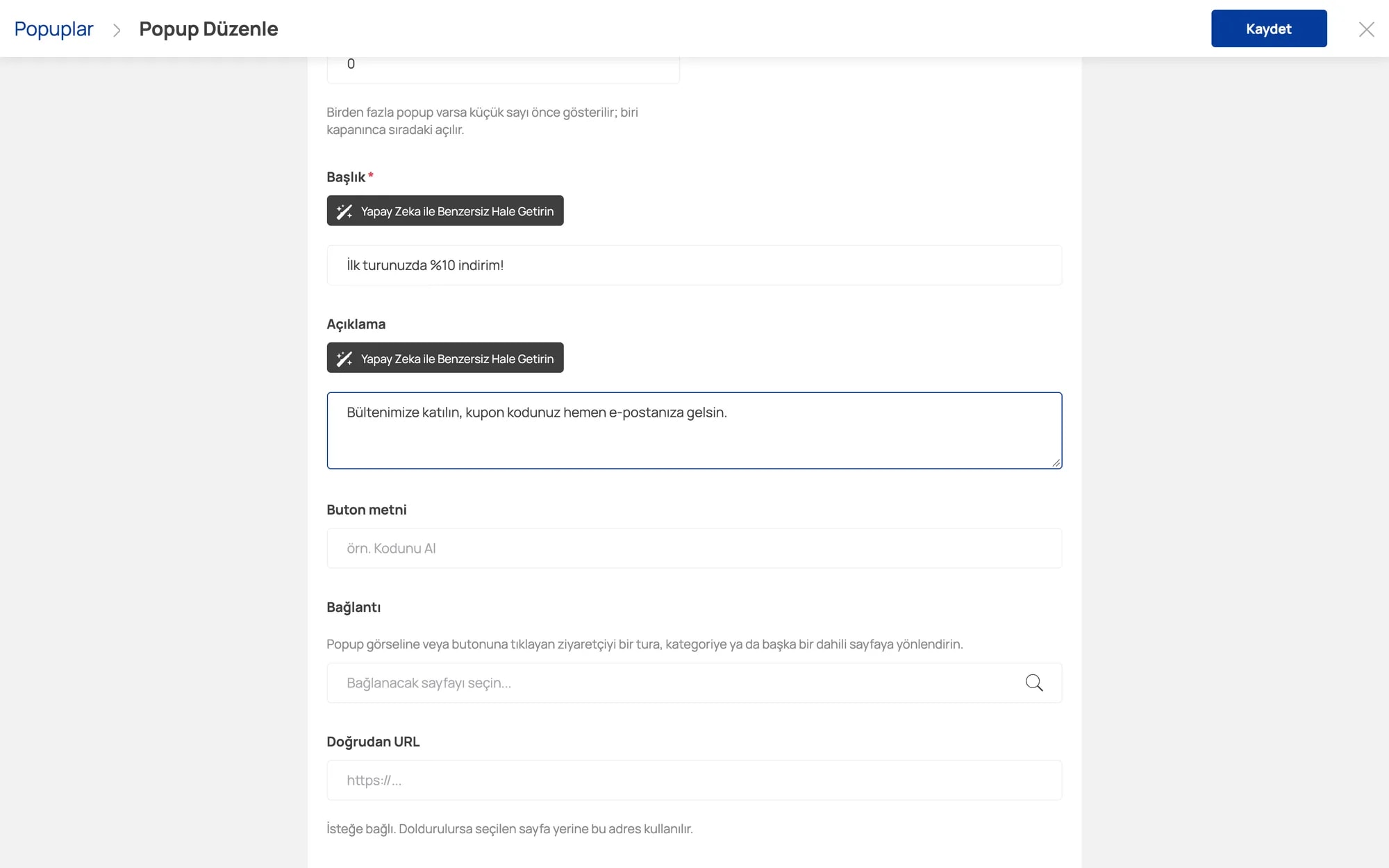
Write the title and description and polish them with AI. Send visitors who click to a tour, a category or any page you like.
Go to Marketing → Pop-up → Create Popup and choose where the image sits.
Enter the title, description, button text and coupon code; upload your image.
Choose whether to collect email, how often to show it and where the button leads.
Activate and save. The content is auto-translated into your site's other languages with AI.
Collected emails land in Newsletter Subscribers, ready for your bulk email campaigns.
A welcome coupon nudges undecided visitors to book.
Pop-up content is auto-translated, so foreign visitors see it in their own language.
Every tool is included in your Commoware plan — no extra module fees.
Percentage or fixed, time-limited discount codes for specific products and customers.
Bring customers back with points, reward coupons and instant discount rules.
Manage eye-catching campaign areas on your homepage from the panel.
Banners at the top of category and search pages that lead to your tours.
Give partners their own link and track sales, revenue and commission automatically.
Turn unfinished bookings into sales with automatic reminders and coupons.
Send campaigns to customers and newsletter subscribers from one screen.
Send your tours to Google and Meta ads automatically, with current prices.
Leave your details and our team will call you to plan the right setup for your agency.
No. You choose the frequency: show once, or show again after a while, so visitors aren't annoyed.
With "Also collect email" on, visitors enter their email before the content is shown and the address is added to Newsletter Subscribers in your panel.
Yes. The lowest order number shows first; when the visitor closes it, the next one opens.