
No manual updates
Price and product changes flow into the feed automatically; no wrong prices in ads.
Send your tours, hotels and villas to Google Merchant Center, Google Ads and Meta (Facebook / Instagram) catalogs automatically. When prices or products change the feed updates, so your ads always show the right information.
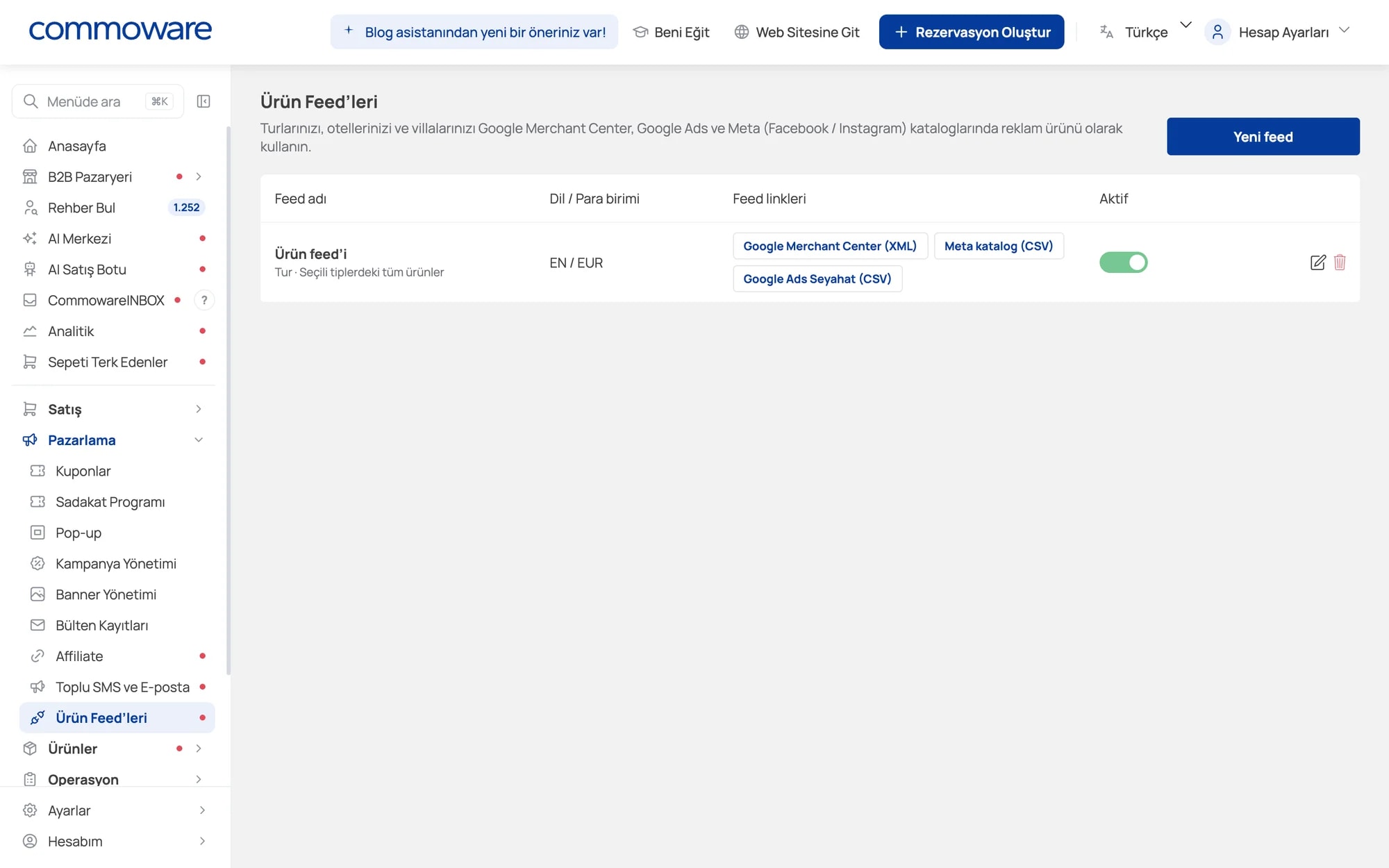
Copy your feed link for Google Merchant Center, Meta catalog or Google Ads Travel and add it to your ad account. Create separate feeds per language and currency.
In Marketing → Product Feeds pick the platform, language and currency.
Copy the feed URL Commoware generates.
Add the link to Google Merchant Center or your catalog in Meta Commerce Manager.
Dynamic and shopping ads run with current tours, images and prices.
Price and product changes flow into the feed automatically; no wrong prices in ads.
Show the same tour on Instagram and Facebook to people who viewed it on your site.
Advertise abroad with separate feeds per language and currency.
Every tool is included in your Commoware plan — no extra module fees.
Percentage or fixed, time-limited discount codes for specific products and customers.
Pop-ups that offer coupons, collect emails and send visitors to your campaigns.
Bring customers back with points, reward coupons and instant discount rules.
Manage eye-catching campaign areas on your homepage from the panel.
Banners at the top of category and search pages that lead to your tours.
Give partners their own link and track sales, revenue and commission automatically.
Turn unfinished bookings into sales with automatic reminders and coupons.
Send campaigns to customers and newsletter subscribers from one screen.
Leave your details and our team will call you to plan the right setup for your agency.
Google Merchant Center (XML), Google Ads Travel and Meta (Facebook / Instagram) catalogs (CSV).
Yes. The feed is generated from the current products and prices in your panel, and platforms re-read it regularly.
Yes, create a separate feed for each language and currency.